 Career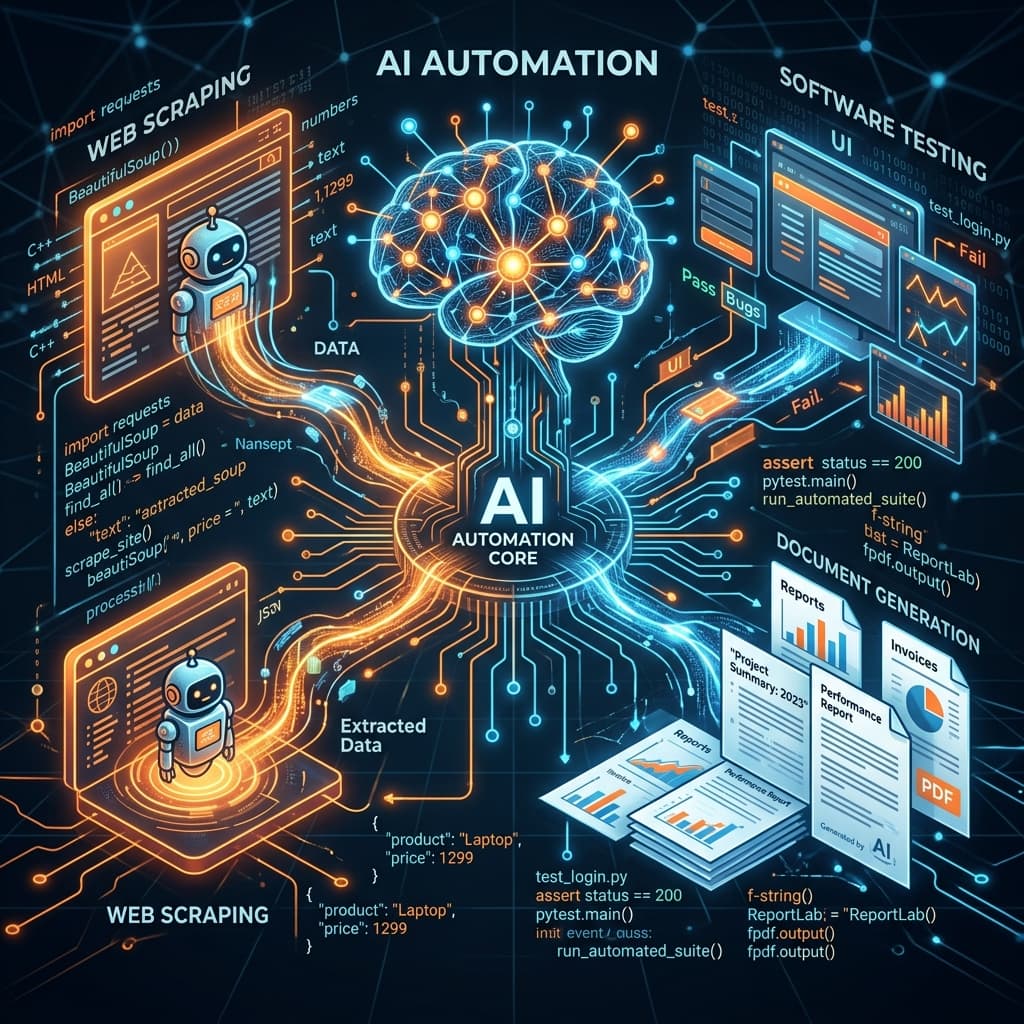
Automating Dynamic PDF Generation with AI
Generating customized reports, invoices, or summaries usually involves complex, brittle PDF libraries. By combining Large Language Models (LLMs) with HTML-to-PDF tools, you can create beautiful, highly personalized documents instantly.
In this guide, we will dive deep into how you can automate dynamic PDF generation using AI, replacing hours of manual formatting with a seamless, intelligent pipeline.
Why Use AI for Document Generation?
Traditional document generation relies on static templates where variables are simply injected into predefined slots (e.g., Hello, {{first_name}}). While functional, this approach lacks flexibility.
When you introduce an AI agent into the pipeline, the system can do more than just fill in the blanks:
- Narrative Synthesis: Instead of just listing numbers, the AI can write a contextual summary explaining why the numbers matter.
- Dynamic Formatting: The AI can restructure the report based on the data. If a client has multiple warning flags, it can automatically insert an "Urgent Action Required" section.
- Tone Adjustment: The same raw data can be compiled into a brief executive summary for a CEO or a detailed technical breakdown for an engineering team.
The AI Document Generation Pipeline
To build a robust, automated PDF generator, you need a four-step pipeline.
Step 1: Data Gathering & Aggregation
Before the AI can write, it needs context. This involves pulling raw data from your database, CRM, or APIs.
// Example: Fetching weekly user data
const userData = await database.users.getWeeklyStats(userId);
const recentTransactions = await stripe.charges.list({ customer: userData.stripeId });
Step 2: Intelligent Drafting with LLMs
This is where the magic happens. You pass the raw JSON data to an LLM along with a strict system prompt. The goal here is to generate the content, not the layout.
Example Prompt:
"You are an expert financial analyst. Review the following JSON data containing the user's weekly transactions. Write a supportive, personalized summary (max 3 paragraphs) highlighting their top spending categories and suggesting one area for potential savings. Return the response in Markdown format."
The AI processes the raw data and generates a fluid, human-like narrative.
Step 3: Semantic HTML Templating
Once you have the AI-generated narrative and the raw data points, you merge them into an HTML template. While you could ask the AI to generate the HTML directly, it is highly recommended to use a templating engine (like Handlebars, Pug, or EJS) combined with a styling framework like Tailwind CSS.
This ensures your branding, fonts, and layouts remain pixel-perfect and consistent, while the AI handles the variable text.
<!-- Example Handlebars Template -->
<div class="report-container font-sans text-gray-900">
  <header class="border-b-2 border-orange-500 pb-4 mb-8">
    <h1 class="text-3xl font-bold">Weekly Insights for {{userData.name}}</h1>
    <p class="text-gray-500">{{date}}</p>
  </header>

  <section class="ai-summary prose lg:prose-xl">
    <!-- The AI's generated markdown is injected here -->
    {{{aiGeneratedSummary}}}
  </section>

  <section class="data-table mt-8">
    <!-- Traditional data iteration for exact numbers -->
  </section>
</div>
Step 4: HTML to PDF Conversion
The final step is converting your beautifully styled HTML into a PDF document. There are several ways to accomplish this:
- 1.Puppeteer / Playwright: Headless browsers are the gold standard for rendering complex HTML/CSS into PDFs. They support modern CSS features (like Flexbox and Grid) perfectly.
- 2.Dedicated APIs: Services like API2PDF or DocRaptor abstract away the headless browser infrastructure, allowing you to just send the HTML and receive a PDF URL in return.
// Example using Puppeteer
import puppeteer from 'puppeteer';

async function generatePDF(htmlContent) {
  const browser = await puppeteer.launch();
  const page = await browser.newPage();

  await page.setContent(htmlContent, { waitUntil: 'networkidle0' });
  const pdfBuffer = await page.pdf({
    format: 'A4',
    printBackground: true,
    margin: { top: '20px', bottom: '20px' }
  });

  await browser.close();
  return pdfBuffer;
}
Real-World Use Cases
- Healthcare: Automatically generating patient discharge summaries that explain lab results in simple, understandable language.
- Real Estate: Creating highly personalized property portfolios for clients based on their stated preferences and browsing history.
- Education: Generating weekly progress reports for students that offer tailored advice based on the specific questions they struggled with.
Conclusion
By separating the intelligence (LLM narrative generation) from the presentation (HTML/CSS templates), you can build a highly scalable, reliable system for automated PDF generation. Start by identifying one repetitive reporting task in your business, and try augmenting it with this pipeline today.
Check Your Career Safety Score
Use the Career Index Calculator to see exactly how AI impacts your specific role — task by task.
Try Calculator — Free